
Understanding ISO20022 in D365FO
Dynamics 365 Finance & Operations (D365FO) enables the generation and import of payment files in the ISO20022 format, an international standard designed to streamline global financial transactions. However, ISO20022 implementations can vary across countries due to different domestic and foreign payment requirements.
To accommodate these variations, Microsoft provides country-specific configurations for ISO20022 credit transfers, categorized into two versions:
- ISO20022 Credit Transfer – Version 3 (urn:iso:std:iso:20022:tech:xsd:pain.001.001.03)
- ISO20022 Credit Transfer – Version 9 (urn:iso:std:iso:20022:tech:xsd:pain.001.001.09)
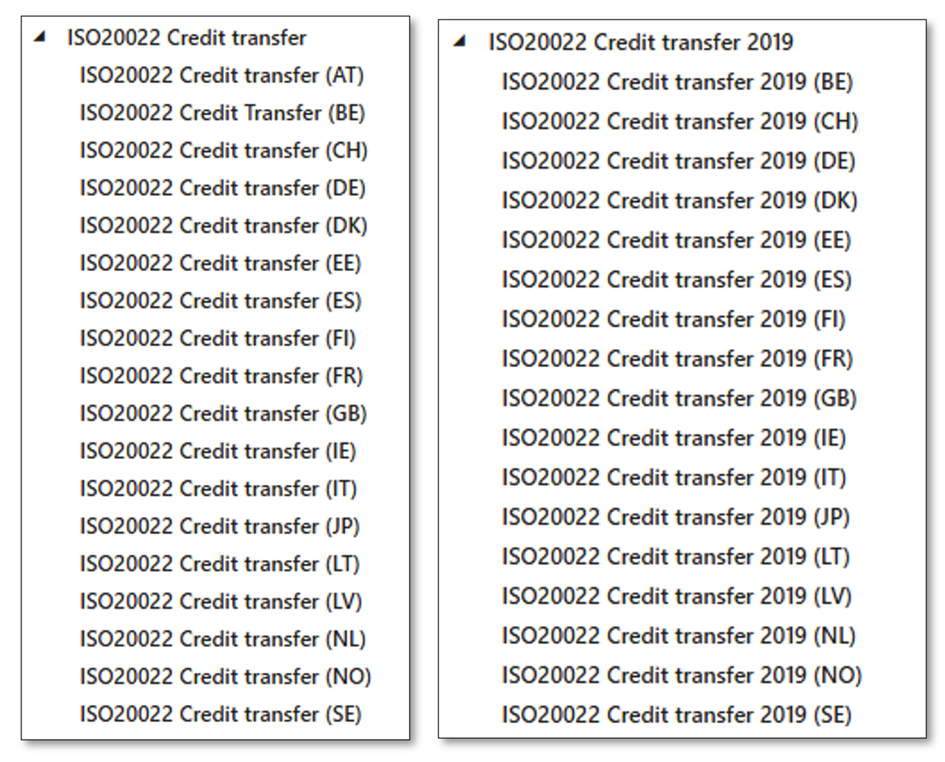
You can apply the appropriate configuration based on the requirements of your banking partner.
Pain.002: Payment Status Reports in ISO20022
Once a payment file (Pain.001) is submitted, the bank responds with a Pain.002 status report. This file provides updates on the processing status of the payment and can be categorized into three levels:
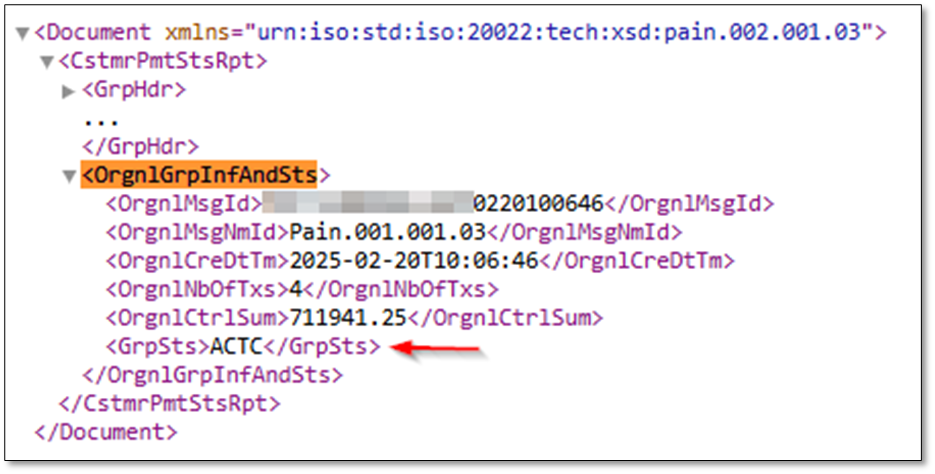
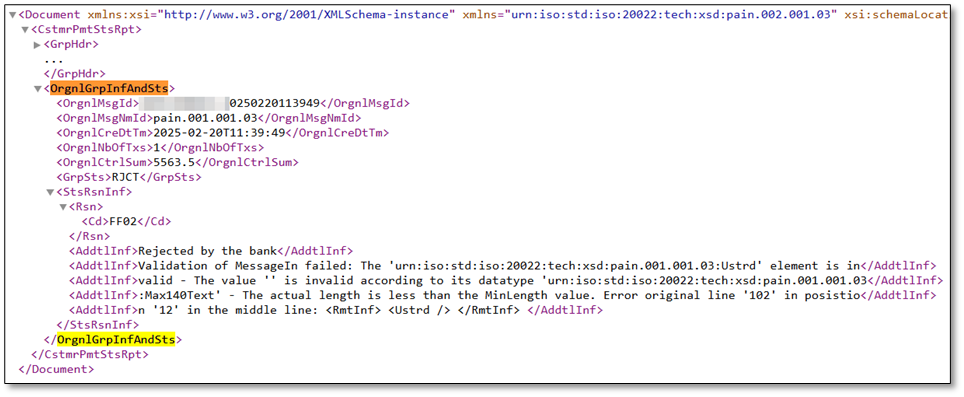
1. Group Header Level – OriginalGroupInformationAndStatus (<OrgnlGrpInfAndSts>)
This level provides a general confirmation of receipt and validation of the payment file. The bank checks for syntax and compliance errors in the overall payment order. Possible status values include:
- RJCT (Rejected) – The entire payment file is rejected due to errors.
- ACTC (AcceptedTechnicalValidation) – The file passes initial validation and is accepted for further processing.
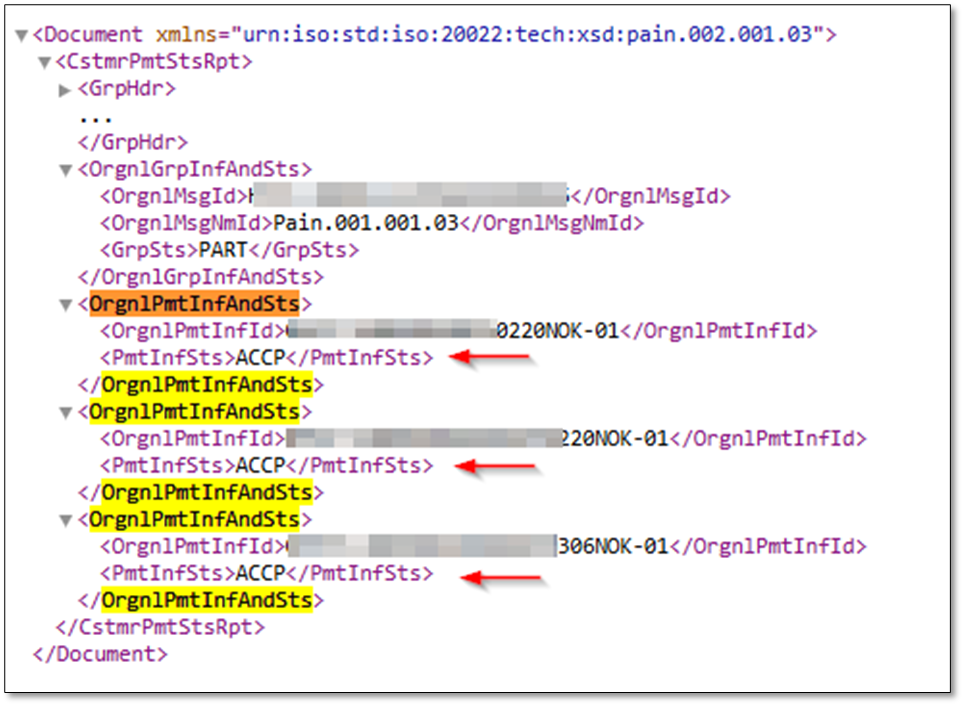
2. Payment Information Level – OriginalPaymentInformationAndStatus (<OrgnlPmtInfAndSts>)
This level provides a more detailed status for each payment batch. If business errors are found, they are flagged at this level. Possible status values include:
- RJCT (Rejected) – All transactions in the batch are rejected; corrections are needed before resubmission.
- ACCP (AcceptedCustomerProfile) – Payment is accepted.
- PART (Partially Accepted) – Some transactions within the batch are rejected, while others are processed.
- ACWC (AcceptedWithChanges) – The instruction is accepted, but changes (e.g., date adjustments) will be made.
- PDNG (Pending) – The payment batch is held due to insufficient funds.
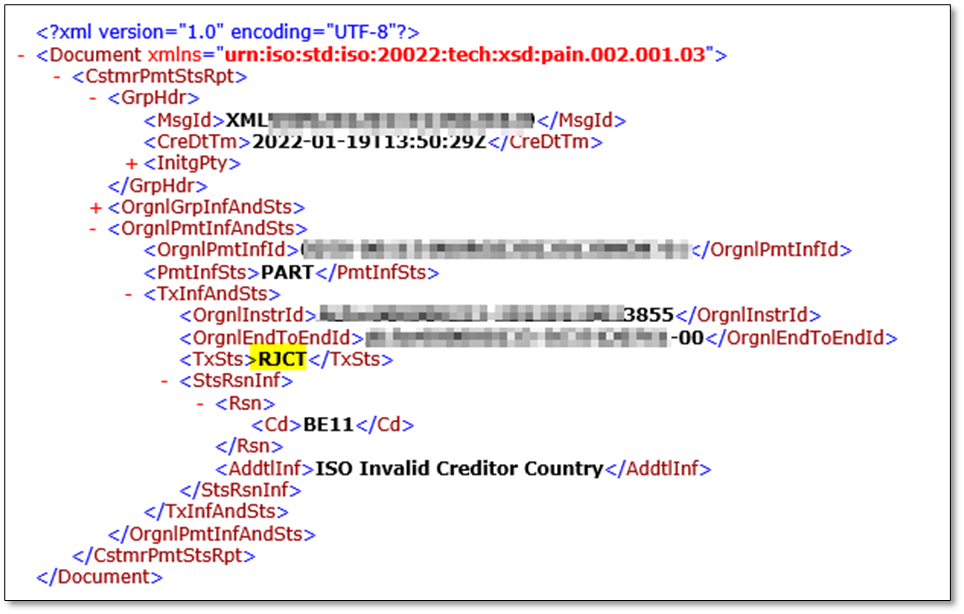
3. Credit Transaction Level – TransactionInformationAndStatus (<TxInfAndSts>)
This level provides a status update for each individual transaction. Possible statuses include:
- ACCP (AcceptedCustomerProfile) – The transaction is successfully accepted.
- RJCT (Rejected) – The transaction contains errors and must be corrected before resubmission.
- PDNG (Pending) – The transaction is awaiting financial processing.
- ACWC (AcceptedWithChanges) – The transaction is accepted with modifications.
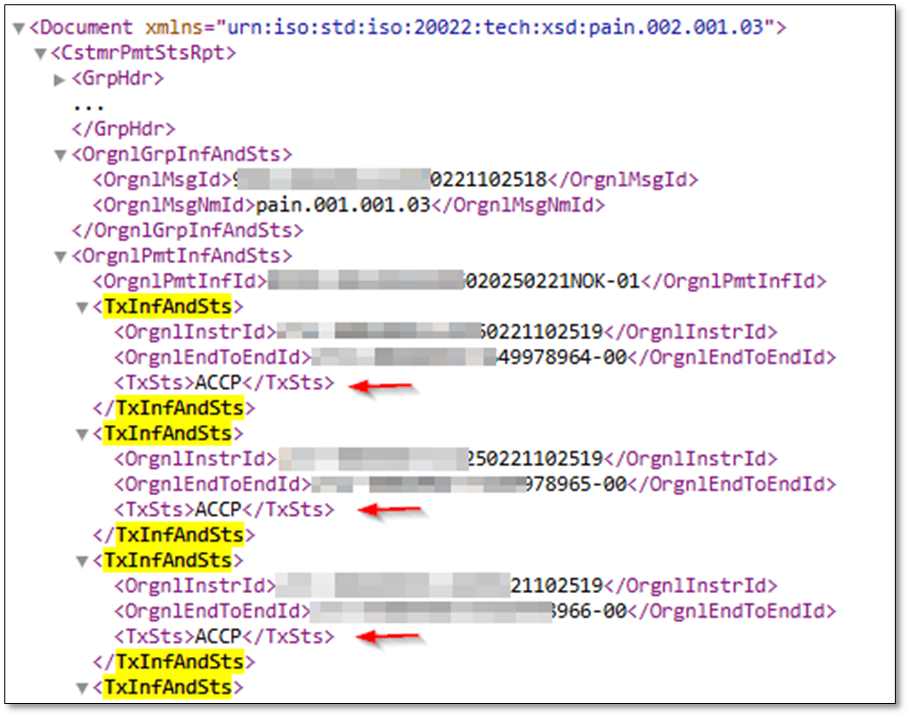
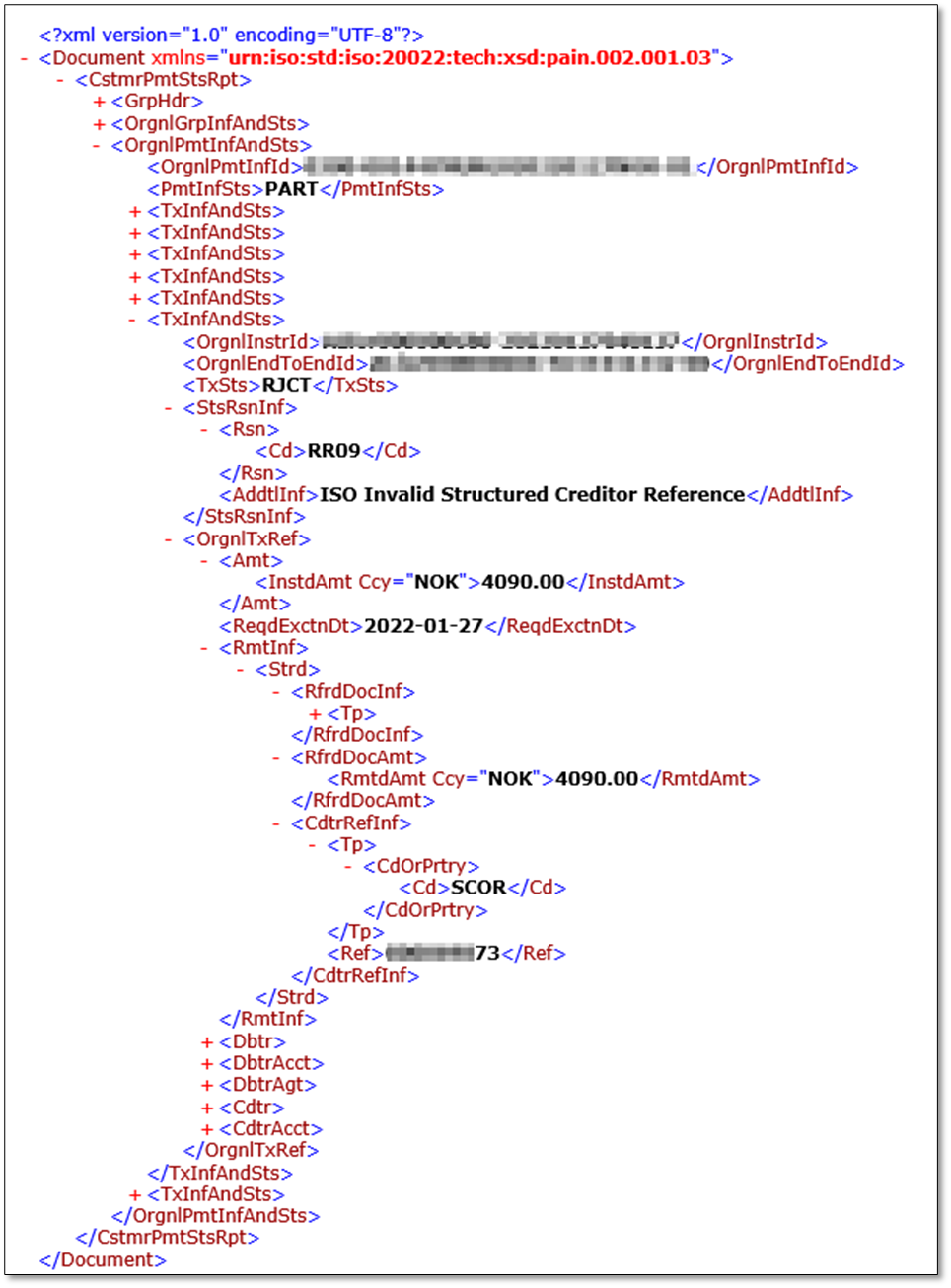
Importing Pain.002 into D365FO for Enhanced Error Handling
By importing the Pain.002 file into D365FO, you can automatically retrieve rejection reasons without manually reviewing the payment file. This improves efficiency by allowing error analysis directly within the system.
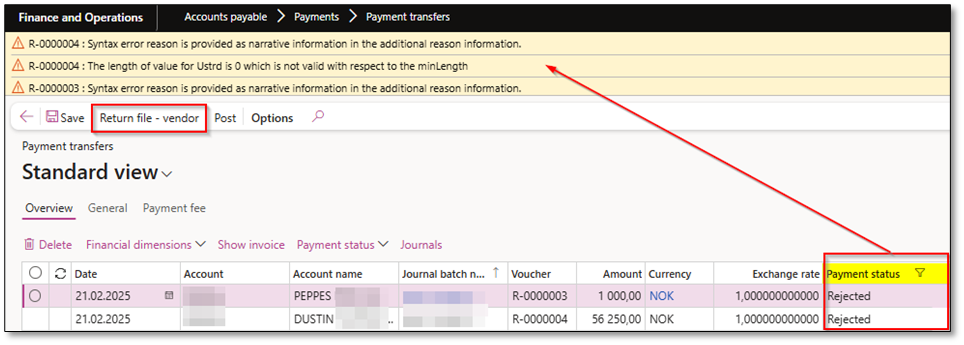
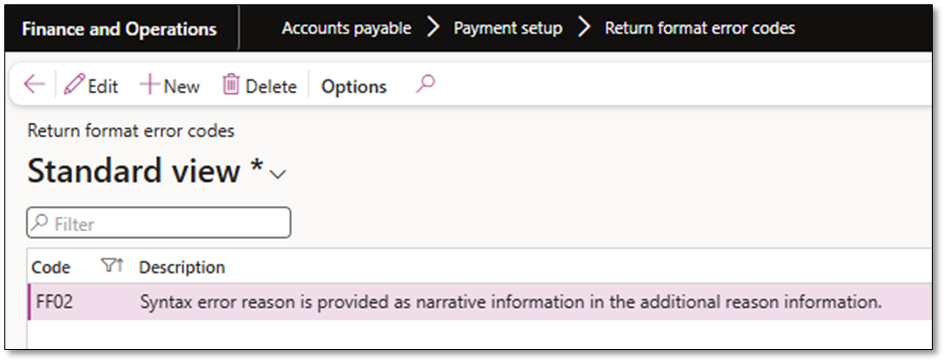
Additionally, error codes in Pain.002 are mapped to Return Format Error Codes in D365FO. By maintaining an up-to-date list of ISO20022 error codes, you gain better insights into failed transactions. You can download the latest error codes from:
👉 DynFOTech-ISO20022/Error Codes
Conclusion
For optimal error tracking and resolution, it is highly recommended to receive the Pain.002 file at the Credit Transaction Level. This provides a more detailed view of rejected transactions, allowing for faster issue identification and resolution.
💬 Have questions or feedback? Drop a comment below—I’d love to hear from you!
 DynFOTech
One Comment Add yours