
As part of my ongoing contribution to the Microsoft Dynamics 365 Finance & Operations community, I’ve published an updated SAF-T (NO) configuration on GitHub with significant performance improvements when opening Application-specific parameters — particularly for the VAT Code Mapping table.
You can access the project here:
🔍Why This Update Matters
Users of the standard SAF-T (NO) Electronic Reporting configuration may experience slow performance when opening the Application-specific parameters form, particularly in environments with many legal entities.
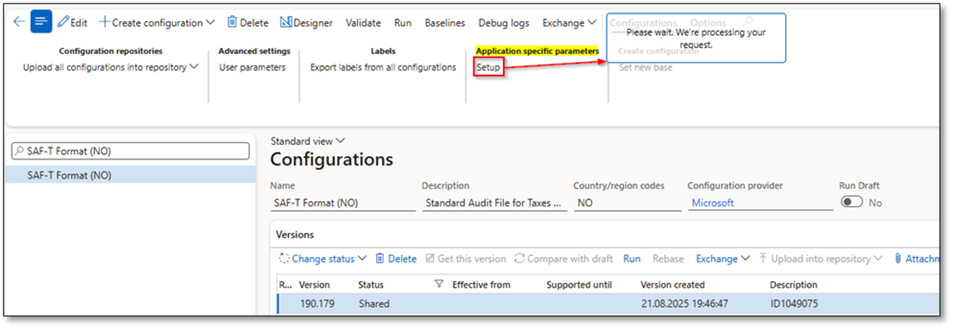
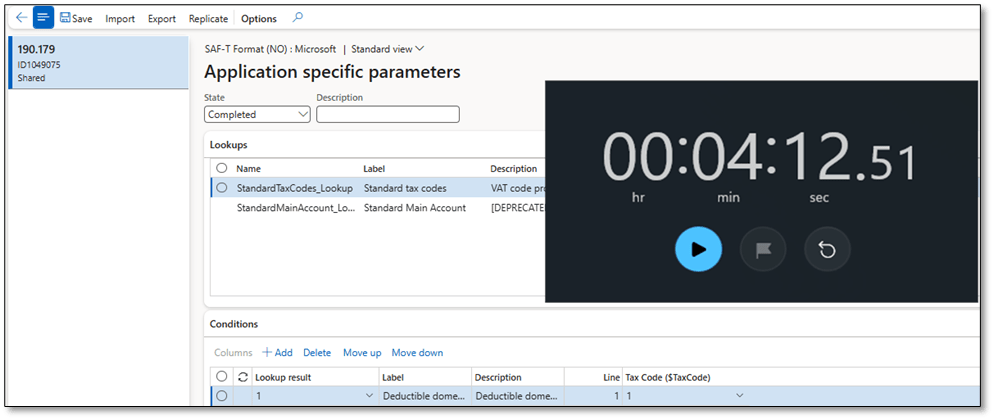
This new version optimizes how the system loads these records, resulting in faster initialization and smoother user experience without modifying the core SAF-T logic.
🧠 Performance Test Results
Below are the results from internal testing using the standard SAF-T (NO) version 190.179 configuration.
The table shows the average time (in minutes.seconds) it took to open Application-specific parameters in different scenarios:
| Legal entities | Has mapping table | Test1 | Test2 | Test3 | Test4 | Average |
|---|---|---|---|---|---|---|
| <10 | Yes | 02:03 | 02:04 | 02:05 | 02:01 | 02:03 |
| >100 | Yes | 04:15 | 04:11 | 04:13 | 04:10 | 04:12 |
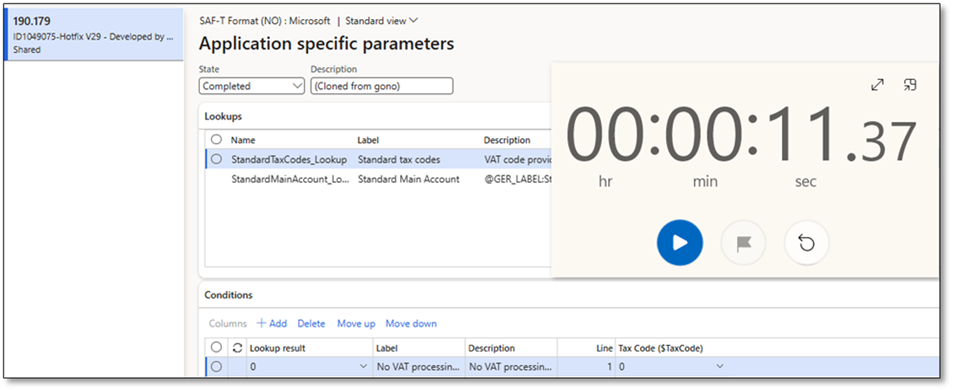
With the enhanced configuration, the loading time for Application-specific parameters has been significantly reduced — especially in environments with multiple legal entities and complex VAT code mappings.
| Legal entities | Has mapping table | Test1 | Test2 | Test3 | Test4 | Average |
|---|---|---|---|---|---|---|
| >100 | Yes | 11.32 | 11.22 | 11.39 | 11.36 | 11.32 |
The result is a smoother user experience, faster validation, and reduced wait time when configuring SAF-T parameters across legal entities.
🧯Key Highlights
✅ Improved performance for opening Application-specific parameters (VAT Code Mapping).
✅ Fully aligned with the latest SAF-T Financial Data Model and Format versions.
✅ Can be imported directly into your D365 Finance environment without customization.
✅ Ideal for both test and production scenarios.
🧾How to Import the Configuration
- Download the ZIP files from the GitHub repository:
👉 DynFOTech-SAF-T-NO - Go to Dynamics 365 Finance > Electronic Reporting > Configurations.
- Click Import > From XML file and upload the SAF-T configuration package.
- Validate that the Data Model, Model Mapping, and Format versions align (e.g. 190.146 / 190.179).
- Open Application-specific parameters for VAT codes — notice the improved performance!
Version Alignment Reminder
Make sure all your SAF-T components match versioning across:
- Data Model: Standard Audit File (SAF-T) (190)
- Model Mapping: SAF-T Financial Data Model Mapping (190.146)
- Format: SAF-T Format (NO)-DFT (190.179)
The Data Model serves as the foundation for the Format — version consistency is key to successful import.
📣 Final Thoughts
This update aims to make the SAF-T setup process in D365 Finance more efficient and user-friendly for consultants and customers alike.
Feel free to fork, use, or contribute to the project — every improvement helps the Dynamics 365 community grow stronger.
If you find it useful, don’t forget to ⭐ the GitHub repository and share your feedback!
 DynFOTech
One Comment Add yours